What is HDCP: Understand Digital Content Protection
Published: 19 Nov 2025
Have you ever connected your device to a TV and seen an “HDCP Error” message?
This happens because of HDCP (High-bandwidth Digital Content Protection), a security feature in HDMI connections. In this guide, we’ll explain what is HDCP, how it works, its different versions, common errors, and how to fix them.
Let’s dig in.
What is HDCP?
HDCP (High-bandwidth Digital Content Protection) is a technology that stops people from copying digital content without permission. It helps protect movies, TV shows, and games from being recorded or shared illegally.
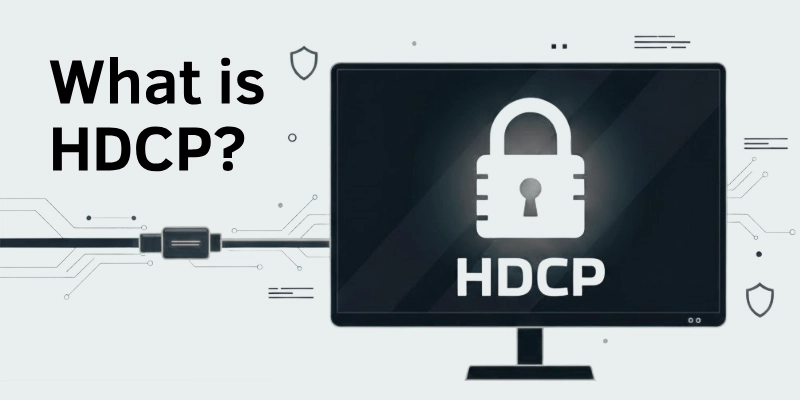
HDCP was created by Intel to protect digital content. It works by locking the connection between the device sending the video (like a streaming stick or Blu-ray player) and the screen (like a TV or monitor). If one of the devices does not support HDCP, the video may not play, or an error message may appear.
How Does HDCP Work?
HDCP works by creating a secure connection between two devices, like a streaming device and a TV. It makes sure that only approved devices can send and receive video.
Here’s how it works:
- When you connect a device (like a Blu-ray player) to a TV, they check if both support HDCP.
- If both devices are HDCP-approved, they exchange a special security key to create a safe connection.
- Once the connection is secure, the video and audio play smoothly.
If a device does not support HDCP, the video may not play, show a black screen, or display an HDCP error message.
HDCP Versions and Compatibility
HDCP comes in different versions, and not all versions work with each other. Newer versions have stronger security, but older devices may not support them.
Here are the main HDCP versions:
- HDCP 1.4 – Supports 1080p video and is used in older HDMI devices.
- HDCP 2.2 – Required for 4K Ultra HD content and is used in modern TVs and streaming devices.
- HDCP 2.3 – The latest version with improved security for high-quality streaming and gaming.
Compatibility Issues:
- HDCP 2.2 and 2.3 are not fully backward compatible with HDCP 1.4.
- If you connect an HDCP 2.2 device to an HDCP 1.4 screen, it may not play 4K content.
- To avoid issues, make sure all your devices support the same HDCP version.
Common HDCP Errors and How to Fix Them
Sometimes, HDCP can cause errors that stop your video from playing. You may see messages like “HDCP Error Detected” or experience a black screen. Here are the most common issues and how to fix them.
1. HDCP Error Message Appears
- Cause: Your device or cable does not support HDCP.
- Fix: Try using a different HDMI cable or connecting to an HDCP-compliant device.
2. Black Screen or No Signal
- Cause: The connection between your devices failed.
- Fix: Restart your TV, streaming device, and HDMI cable.
3. Video Quality Drops or Flickers
- Cause: Your HDMI cable or port may be faulty.
- Fix: Use a high-quality HDMI cable and check for loose connections.
4. HDCP Handshake Failure
- Cause: Devices fail to verify HDCP security keys.
- Fix: Turn off all devices, unplug them for a few minutes, and then restart.
5. Older TV or Monitor Not Showing Video
- Cause: Older screens may not support the latest HDCP version.
- Fix: Use an HDCP converter or connect to a newer display.
Do You Need HDCP for Gaming and Streaming?
Yes, HDCP is required for streaming and some gaming consoles, but it depends on what you are doing.
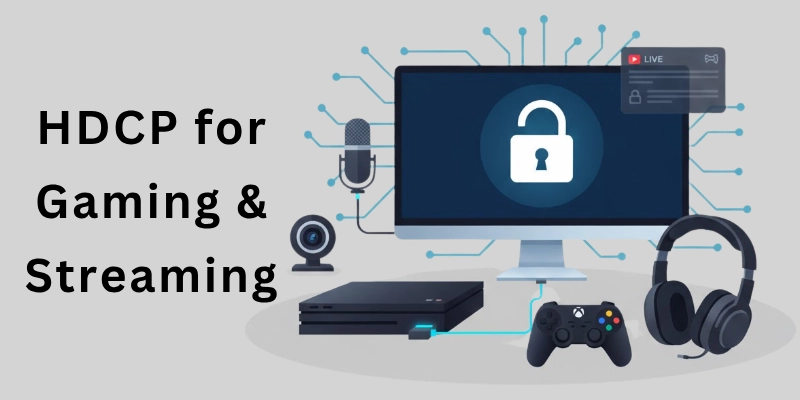
Let’s know.
For Streaming:
- Streaming services like Netflix, Disney+, and Amazon Prime Video require HDCP 2.2 or higher for 4K content.
- If your device does not support HDCP, the video may not play or show an error message.
For Gaming:
- Consoles like PlayStation and Xbox use HDCP to protect copyrighted content.
- However, PlayStation can turn HDCP off to allow game recording or streaming.
Do You Always Need HDCP?
- HDCP is unnecessary if you only play games without recording or streaming.
- HDCP must be enabled if you want to watch movies or stream gameplay.
Advantages and Disadvantages of HDCP
HDCP helps protect digital content, but it also has some drawbacks. Here are the main pros and cons:
Pros of HDCP
- Prevents illegal copying – Stops unauthorized recording and piracy of movies and shows.
- Ensures high-quality content – Allows streaming platforms to provide 4K and HDR content securely.
- Supports secure connections – Protects digital signals from being intercepted or modified.
Cons of HDCP
- Causes compatibility issues – Older devices may not support newer HDCP versions.
- Can block content – If a device doesn’t support HDCP, videos may not play at all.
- No real protection against piracy – Hackers have found ways to bypass HDCP restrictions.
Conclusion
Hope this guide made HDCP easier to understand! While it helps prevent content piracy, it can also cause connection issues if devices are incompatible. Always use certified HDMI cables to avoid black screens and errors and ensure all your devices support the same HDCP version. If you still face problems or want to learn more, check out the FAQs below for expert solutions.
FAQs
Here are some of the most commonly asked questions related to “What is HDCP in HDMI”:
HDCP is built into most HDMI devices, so it usually cannot be fully disabled. However, some gaming consoles like PlayStation allow you to turn it off to record or stream gameplay. Disabling HDCP may stop certain streaming services from working.
Even if your device supports HDCP, errors can happen due to an incompatible HDMI cable, outdated firmware, or handshake failure. Try using a high-quality HDMI cable, updating your device’s software, and restarting all connected devices. If the issue continues, check if all devices support the same HDCP version.
Not all HDMI cables are HDCP-compliant, especially older or low-quality ones. For best performance, use HDMI 2.0 or higher cables that explicitly mention HDCP support. Using a non-HDCP cable may cause black screens, flickering, or connection errors.
Some people use HDCP converters to make older devices work with HDCP-protected content. These converters take an HDCP signal and attempt to make it readable for non-compliant displays. However, they are not always reliable and may cause a drop in video quality.
Older TVs may not support newer HDCP versions, which can cause connection issues. If your TV is too old, it may not be able to decrypt the HDCP-protected signal. You might need an HDCP-compliant adapter or upgrade to a newer display.
HDCP does not impact gaming speed or graphics, but it can block gameplay recording and streaming. Some consoles allow you to turn HDCP off while gaming to capture video without issues. However, you need to turn it back on to use streaming services like Netflix.




- Be Respectful
- Stay Relevant
- Stay Positive
- True Feedback
- Encourage Discussion
- Avoid Spamming
- No Fake News
- Don't Copy-Paste
- No Personal Attacks
- Be Respectful
- Stay Relevant
- Stay Positive
- True Feedback
- Encourage Discussion
- Avoid Spamming
- No Fake News
- Don't Copy-Paste
- No Personal Attacks
