What Is HDMI ARC & Why Is It So Useful?
Published: 20 Sep 2025
If you’ve ever come across the term HDMI ARC and asked yourself, “What is HDMI ARC?”, this article is just for you. In this beginner’s guide, we’ll explain everything step by step — what HDMI ARC means, how it works, and what it’s used for.
Stay with us as we make HDMI ARC and its uses easy to understand.
What Does HDMI ARC Stand For?
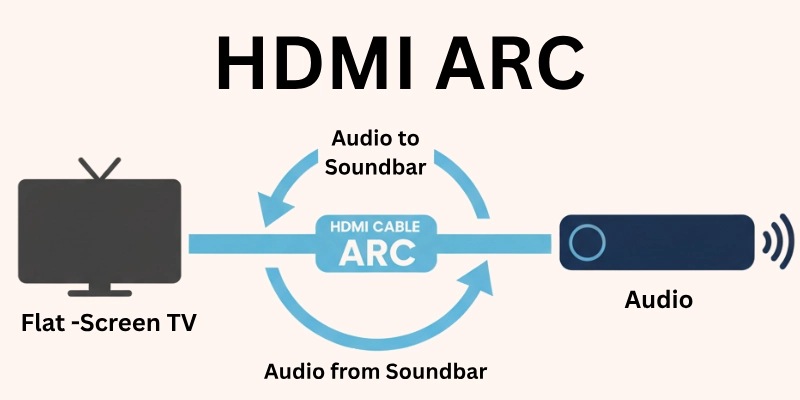
The HDMI ARC stands for High-Definition Multimedia Interface Audio Return Channel. It means that your HDMI cable can send sound both to and from your TV using a single cable.
In simple words, HDMI ARC means you don’t need extra audio cables — it helps your TV and sound system connect easily for better sound.
What is HDMI ARC in TV? Is This the Same HDMI ARC or a Different Term?
HDMI ARC in TV is the same thing as HDMI ARC — there is no difference.
It simply means that your TV has a special HDMI port that supports the Audio Return Channel (ARC) feature. So, when someone says HDMI ARC in TV, they are talking about the same HDMI ARC feature that helps send sound from the TV to speakers or sound systems using just one cable.
How Does HDMI ARC Work?
HDMI ARC works by sending audio signals from your TV to your speaker or soundbar through the same HDMI cable you use to connect the two devices. Normally, HDMI cables send video and audio to the TV.
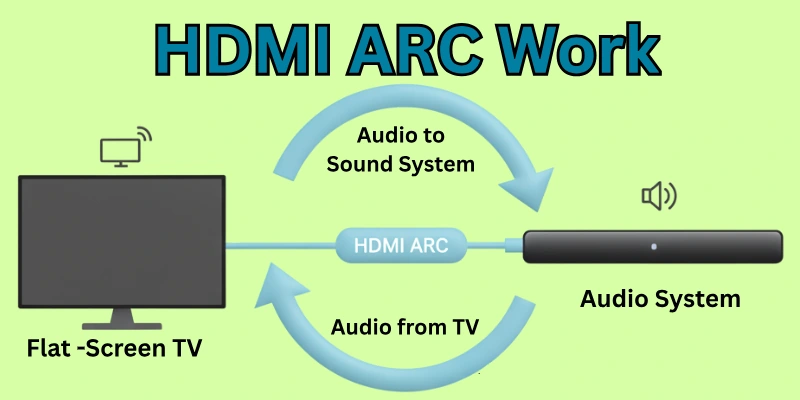
But with HDMI ARC, the sound can go back from the TV to the speaker or sound system — this is called audio return. So, you don’t need extra audio cables. Just one HDMI cable can handle both picture and sound in both directions.
What is HDMI ARC Used For?
Here is the answer:
- To send sound from your TV to external audio devices like a soundbar, home theater system, or AV receiver.
- To enjoy better sound quality compared to your TV’s built-in speakers.
- To reduce extra wires and cables, as one HDMI cable handles both picture and sound.
- To control your speaker or soundbar with your TV remote, including volume and power.
Can HDMI ARC Be Used as an Output?
Yes, HDMI ARC can be used as an audio output. It sends the sound out from the TV to other audio systems like a soundbar or home theater speaker.
So instead of the sound playing from your TV’s built-in speakers, it plays from the external audio device, giving you a better and clearer sound experience.
HDMI ARC Ports on TV – What Do They Mean?
Most modern TVs have multiple HDMI ports labeled as HDMI 1, HDMI 2, HDMI 3, HDMI 4, etc. But only one of these ports usually supports ARC (Audio Return Channel).
Let’s understand what each label means and how to identify the ARC port on your TV.
What Does HDMI 1 ARC Mean?
- It means that HDMI port 1 on your TV supports the ARC feature.
- You should connect your soundbar or speaker system to this port if you want to use HDMI ARC for audio output.
What Does HDMI 2 ARC Mean?
- It simply means HDMI port 2 has the ARC feature.
- Different TV models have ARC on different ports, so it depends on the brand or model.
- Always check the labeling near the HDMI ports on your TV.
What Does HDMI 3 ARC Mean & What is HDMI 3 ARC Used For?
- HDMI 3 ARC means that the third HDMI port on your TV supports Audio Return Channel.
- It is used to send sound from the TV to external audio devices, just like other ARC-supported ports.
- You should use this port if your speaker or soundbar needs ARC to work properly.
What is HDMI 4 ARC? (Importance of Labeling on TV Ports)
- If your TV has a label like HDMI 4 ARC, it means the fourth port has ARC support.
- These labels help you know which port to use for audio output.
- Not all HDMI ports have ARC, so it’s important to plug into the correct one for your sound system to work properly.
What Does HDMI ARC Look Like?
- The HDMI ARC port looks just like a normal HDMI port — same shape and size.
- The only way to identify it is by looking at the small label near the port that says “ARC” or “HDMI ARC”.
- You might see something like HDMI 1 (ARC) or HDMI 2 (ARC) printed near the port on the back or side of your TV.
What is HDMI ARC on Different TV Brands?
Most TV brands offer the HDMI ARC feature, but the labeling and settings might look a little different depending on the brand.
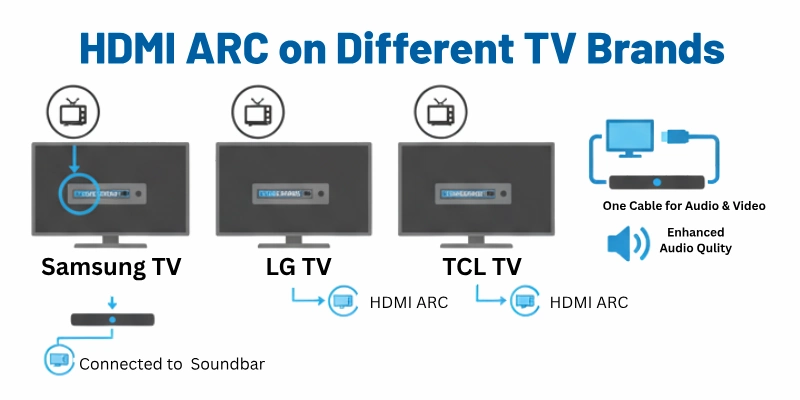
Here’s how HDMI ARC works on popular TV brands:
What is HDMI ARC on LG TV?
- On LG TVs, HDMI ARC works the same way — it sends audio from your TV to a soundbar or speaker using a single HDMI cable.
- You will usually find a port labeled “HDMI ARC” or “HDMI 2 (ARC)” on the back of the TV.
- To use it, just connect your sound system to that port and enable ARC in the sound settings menu.
What is HDMI ARC on TCL TV?
- On TCL TVs, HDMI ARC is also available on one of the HDMI ports, commonly labeled “HDMI ARC” or “HDMI 1 (ARC)”.
- Once connected, TCL TV automatically detects the audio device, but you may still need to turn on the ARC or CEC settings in the TV menu.
- It helps to easily send sound from the TV to your soundbar or home theater system.
What is HDMI ARC Port on Samsung TV?
- Samsung TVs also come with an HDMI ARC port, usually marked clearly near the HDMI ports, like “HDMI (ARC)” or “HDMI 3 (ARC)”.
- To use it, connect your speaker or soundbar to this port and make sure Anynet+ (Samsung’s name for CEC) is enabled in the TV settings.
- This allows audio to pass from the TV to the external audio device and lets you control sound with your TV remote.
HDMI ARC vs Other Connections: Which is Better?
HDMI ARC is often considered better than many traditional audio connections because it offers more features and better sound quality — but let’s compare it with other common options to understand the differences.
Is HDMI ARC Better Than Optical?
- Yes, in most cases HDMI ARC is better than Optical.
- HDMI ARC supports higher-quality sound formats like Dolby Digital and even Dolby Atmos (in some cases), while Optical usually supports only basic audio.
- HDMI ARC also lets you control your soundbar or speakers with your TV remote, but Optical does not.
- However, Optical can still be a good choice if your sound system does not support HDMI ARC.
Is HDMI ARC Better Than AUX?
- Yes, HDMI ARC is much better than AUX (3.5mm audio cable).
- AUX is an analog connection, which means lower sound quality.
- HDMI ARC gives you clearer and richer digital sound, and it also supports more advanced audio formats.
- Also, AUX does not allow you to control the sound system through your TV remote, but HDMI ARC does.
Is HDMI ARC Better Than Bluetooth?
- Yes, HDMI ARC is better than Bluetooth in terms of sound quality and connection stability.
- Bluetooth is wireless, but sometimes the sound quality is not as good and there may be a delay (lag) between picture and sound.
- HDMI ARC gives better sound with no delay, but it needs a cable.
- Still, Bluetooth can be a good option if you want a wireless setup and don’t mind a slight drop in quality.
Difference Between HDMI ARC and HDMI eARC
HDMI eARC stands for Enhanced Audio Return Channel. It is the improved and advanced version of HDMI ARC, specially made for modern TVs and high-end sound systems. So, here it’s difference with ARC:
1. Audio Quality
- ARC: Good sound (compressed audio)
- eARC: Excellent sound (uncompressed, high-quality audio)
2. Supported Audio Formats
- ARC: Supports Dolby Digital and DTS
- eARC: Supports Dolby Atmos, DTS:X, Dolby TrueHD, and more advanced formats
3. HDMI Version Requirement
- ARC: Works with HDMI 1.4 and above
- eARC: Needs HDMI 2.1
4. Data Transfer Speed
- ARC: Slower data transfer
- eARC: Faster data transfer, better performance
5. Audio Sync
- ARC: May have sound delay (lip-sync issues)
- eARC: Better sync between sound and picture
7. Ease of Setup
- ARC: Basic setup, may need manual settings
- eARC: More automatic and stable setup
8. Best Use
- ARC: Suitable for regular soundbars and speakers
- eARC: Ideal for modern, high-end home theater systems
Choosing the Right Cable for HDMI ARC
In this section, we’ll help you understand which cable works best and why it matters.
Is HDMI ARC cable different?
No, there is no separate cable called an HDMI ARC cable. You can use a regular HDMI cable, but it should be at least a High-Speed HDMI cable for smooth audio transfer.
What is the best HDMI ARC cable?
The best cable for HDMI ARC is a High-Speed HDMI cable with Ethernet.
This cable:
- Supports ARC and eARC features
- Delivers better sound and video quality
- Ensures a stable connection between TV and sound system
Tip: If your TV supports HDMI eARC (enhanced ARC), it’s even better to use an Ultra High-Speed HDMI cable, which works perfectly with HDMI 2.1 ports and advanced audio formats like Dolby Atmos.
When Did HDMI ARC Come Out?
HDMI ARC has been around for many years and has changed the way we connect audio devices to our TVs. In this section, we’ll briefly look at when HDMI ARC was introduced and how it later improved into HDMI eARC.
What year did HDMI ARC come out?
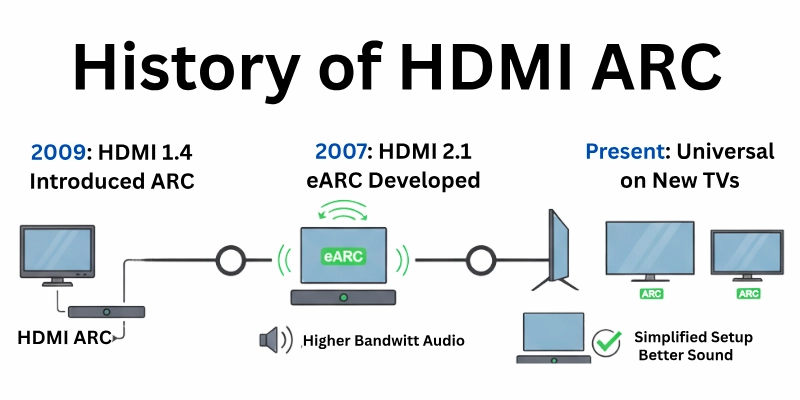
- HDMI ARC was introduced in 2009 with the release of HDMI version 1.4.
- It allowed TVs to send audio back to soundbars, speakers, or home theater systems using the same HDMI cable — no need for extra audio cables.
Brief history of HDMI ARC
- Before ARC, TVs needed a separate audio cable (like optical or AUX) to connect to speakers.
- ARC made it simpler by using one HDMI cable for both video input and audio output.
- It also allowed users to control the sound system with their TV remote.
Evolution from ARC to eARC
- As technology improved, HDMI eARC (Enhanced Audio Return Channel) was introduced in 2017 with HDMI 2.1.
- eARC supports higher-quality audio formats, faster data speed, and better lip-sync performance than ARC.
- It’s now used in modern sound systems and advanced home theater setups.
Conclusion
So now you know what is HDMI ARC and how it can help improve your TV sound. It’s a simple feature, but super useful if you want better audio without a mess of wires. Take a moment to check the HDMI ports on your TV—you might already have ARC and didn’t even know it!
And hey, don’t forget to scroll down and read the FAQs section—it answers many common questions you might still have.
FAQs
Here are some of the most commonly asked questions related to HDMI ARC:
HDMI ARC support means your TV or device can send sound through the HDMI cable. You don’t need extra audio cables. It connects your TV to soundbars, speakers, or home theaters easily. If your TV has HDMI ARC support, you get better sound with fewer wires.
Yes, HDMI ARC works with any HDMI cable. But for better sound and fewer issues, use a High-Speed HDMI cable with Ethernet. This type of HDMI ARC cable gives the best results. It’s better for stable and clear audio.
No, HDMI ARC is not just for soundbars. You can use it with AV receivers and full home theater systems. It sends audio from your TV to any external sound device. So, HDMI ARC is useful for many setups, not just soundbars.
Not all TVs have HDMI ARC. But most new TVs come with at least one HDMI ARC port. You can check your TV near the HDMI ports for a label that says “ARC.” If it’s there, your TV supports HDMI ARC.
No, HDMI ARC is used only for audio. It cannot send video signals. HDMI ARC helps your TV send sound to external speakers. Video still goes from the source (like a set-top box or console) to the TV.
HDMI ARC is still used and works well. But there is a newer version called HDMI eARC. eARC gives better sound quality and supports advanced audio formats. Still, HDMI ARC is good for most users.
You can connect both, but not for the same audio at once. HDMI ARC and Bluetooth are separate sound options. Most TVs let you choose only one audio output. So, you need to pick either Bluetooth or HDMI ARC.
No, HDMI ARC does not reduce sound quality. In fact, it gives better audio than AUX or Bluetooth. It also supports surround sound formats. HDMI ARC helps improve your overall sound experience.
Yes, sometimes you need to turn on HDMI ARC support in your TV settings. Look for options like ARC or CEC (HDMI control) in the audio menu. After enabling, your TV will send sound through HDMI ARC. Some sound systems also need ARC mode turned on.
HDMI ARC does not improve video or graphics in games. But it gives you better game sound through external speakers. You will hear clearer and louder audio. HDMI ARC helps make your gaming more immersive.






- Be Respectful
- Stay Relevant
- Stay Positive
- True Feedback
- Encourage Discussion
- Avoid Spamming
- No Fake News
- Don't Copy-Paste
- No Personal Attacks
- Be Respectful
- Stay Relevant
- Stay Positive
- True Feedback
- Encourage Discussion
- Avoid Spamming
- No Fake News
- Don't Copy-Paste
- No Personal Attacks
